TikTok has become one of the most popular social media platforms worldwide, with millions of creative videos uploaded daily. Whether you're a content creator looking to save your own work, or simply want to keep your favorite videos, knowing how to download TikTok videos is essential.
In this comprehensive guide, we'll show you 5 proven methods to download TikTok videos without watermark in 2026. All methods are free, easy to use, and work on all devices.
Why Download TikTok Videos?

There are many legitimate reasons to download TikTok videos:
- Backup Your Content - Content creators should always keep backups of their work in case of account issues or accidental deletion
- Offline Viewing - Watch your favorite videos without internet connection during travel or in areas with poor connectivity
- Content Repurposing - Creators often want to share their TikTok content on other platforms like Instagram, YouTube, or Facebook
- Educational Use - Teachers and students may want to save tutorial videos for reference
- Inspiration - Keep a collection of videos that inspire your own creative work
Method 1: Online TikTok Downloader (DLTK.io) - Recommended ⭐⭐⭐⭐⭐
Best for: Everyone - Quick, Easy, No Installation
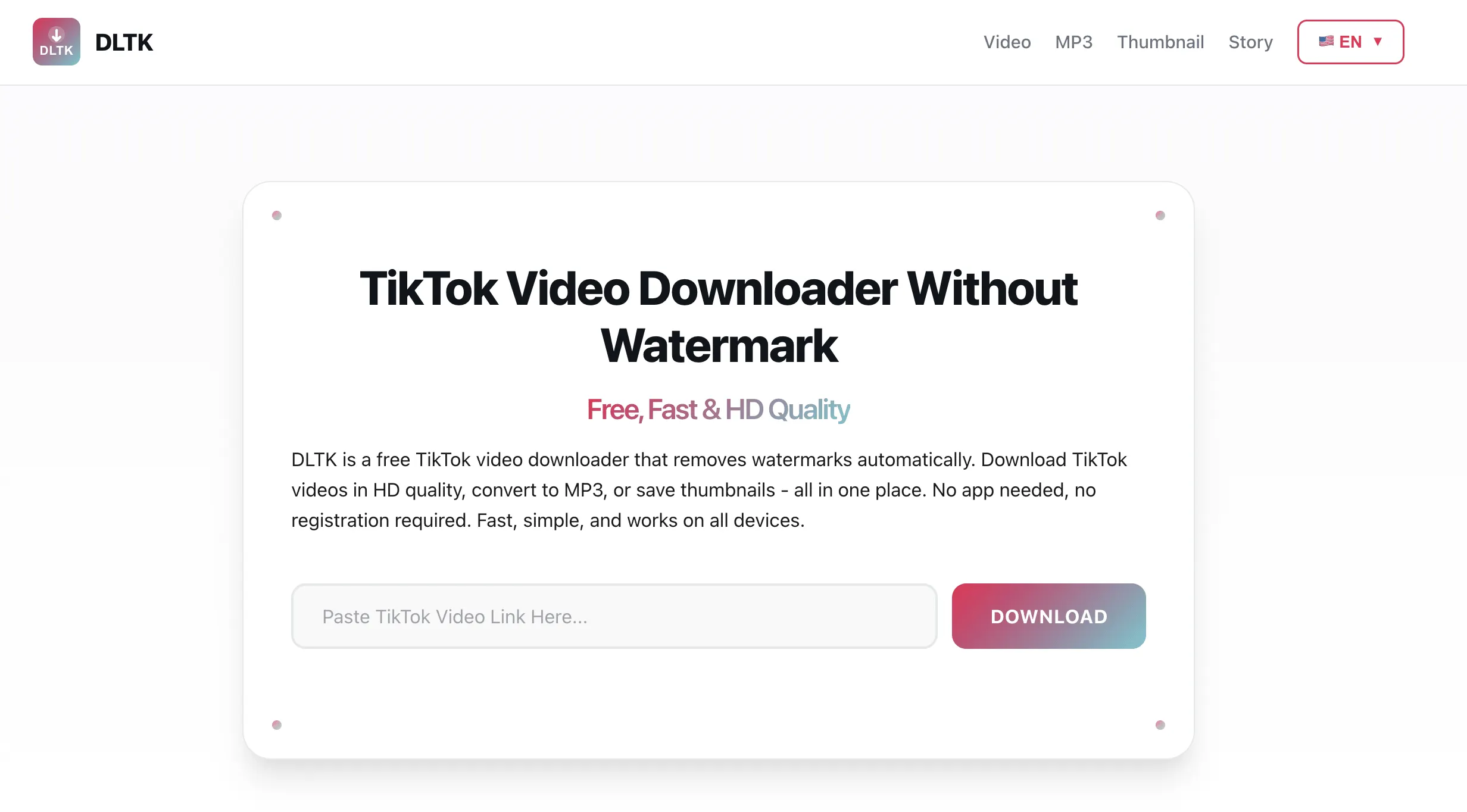
DLTK.io is a free online tool that lets you download TikTok videos without watermark in just 3 simple steps. No app installation required, works on all devices.
Step-by-Step Guide:
- Copy the TikTok Link
- Open TikTok app or website
- Find the video you want to download
- Tap the "Share" button
- Select "Copy Link"
- Paste into DLTK
- Visit DLTK.io
- Paste the link in the input field
- Click "Download"
- Save the Video
- Choose your preferred quality (HD recommended)
- Click "Download" again
- Video saves to your device without watermark
✅ Pros:
- 100% free, unlimited downloads
- No watermark on videos
- HD quality up to 1080p
- No app installation needed
- Works on all devices
- Fast download speed
- Also supports MP3 conversion and thumbnail download
❌ Cons:
- Requires internet connection
- Can only download public videos
Try DLTK Now - Free Forever
Download unlimited TikTok videos without watermark in HD quality
Start Downloading →Method 2: TikTok Built-in Download (With Watermark)
Best for: Quick saves when watermark is acceptable
TikTok's official app includes a built-in download feature, but it saves videos with a watermark.
How to Use:
- Open the TikTok video you want to save
- Tap the "Share" button (right side of screen)
- Tap "Save video"
- Video saves to your device's gallery
✅ Pros:
- Built into TikTok app
- Very quick and easy
- Works offline after download
❌ Cons:
- Includes TikTok watermark
- Creator can disable downloads
- Only works on your own or download-enabled videos
- Lower quality than original
Method 3: Third-Party Mobile Apps
Best for: Frequent downloaders who prefer apps
Several mobile apps available on App Store and Google Play can download TikTok videos. However, use caution and read reviews carefully.
Popular Apps:
- iOS: TikDown, Video Saver for TikTok
- Android: TikMate, Video Downloader for TikTok
✅ Pros:
- Native app experience
- Batch download options
- Offline functionality
❌ Cons:
- Takes up device storage
- May contain ads
- Quality varies by app
- Privacy concerns with some apps
- May require payment for premium features
Method 4: Browser Extensions (Desktop)
Best for: Desktop users who download frequently
Browser extensions add a download button directly to TikTok's website interface.
Popular Extensions:
- Chrome: TikTok Downloader, Video Downloader for TikTok
- Firefox: TikTok Video Downloader
✅ Pros:
- One-click downloads
- Integrated into browser
- Fast and convenient
❌ Cons:
- Only works on desktop
- May slow down browser
- Security and privacy risks
- Doesn't work on mobile devices
Method 5: Screen Recording (Last Resort)
Best for: When other methods don't work
Screen recording captures whatever is displayed on your screen, including TikTok videos.
How to Screen Record:
- iPhone/iPad: Swipe down Control Center → Tap record button
- Android: Swipe down notification panel → Tap screen record
- Windows: Windows + G to open Game Bar → Click record
- Mac: Command + Shift + 5 → Select recording area
✅ Pros:
- Works for any video
- Built into devices
- No third-party tools needed
❌ Cons:
- Lower quality
- Includes UI elements if not careful
- Large file sizes
- May include audio from device
- Time-consuming
Comparison: Which Method is Best?

Here's a quick comparison to help you choose:
| Method | No Watermark | HD Quality | Ease of Use | Free |
|---|---|---|---|---|
| DLTK.io | ✅ | ✅ | ⭐⭐⭐⭐⭐ | ✅ |
| TikTok Built-in | ❌ | ⚠️ | ⭐⭐⭐⭐⭐ | ✅ |
| Mobile Apps | ✅ | ⚠️ | ⭐⭐⭐⭐ | ⚠️ |
| Browser Extensions | ✅ | ✅ | ⭐⭐⭐ | ✅ |
| Screen Recording | ✅ | ❌ | ⭐⭐ | ✅ |
Our Recommendation: For most users, DLTK.io offers the best combination of quality, ease of use, and features. It's free, requires no installation, and delivers HD videos without watermarks.
Frequently Asked Questions
Is it legal to download TikTok videos?
Downloading TikTok videos for personal use is generally acceptable. However, you should:
- Never repost downloaded content as your own
- Respect copyright and give credit to original creators
- Not use downloaded videos for commercial purposes without permission
- Follow TikTok's Terms of Service
Can I download private TikTok videos?
No. For privacy reasons, you can only download public TikTok videos. Private videos and videos from private accounts cannot be downloaded using any method.
Will the creator know if I download their video?
No. When you download a TikTok video using external tools like DLTK.io, the creator is not notified. The download happens anonymously.
Why do TikTok videos have watermarks?
TikTok adds watermarks to videos downloaded through their official app to promote their platform and protect content from unauthorized reposting. Third-party tools like DLTK remove these watermarks while preserving the original video quality.
What's the maximum video quality I can download?
With DLTK.io, you can download TikTok videos in their original quality, up to 1080p HD. The actual quality depends on how the video was uploaded to TikTok.
Can I download TikTok videos on iPhone?
Yes! DLTK.io works perfectly on iPhones through Safari or any browser. No app installation needed - just visit the website, paste the link, and download.
Additional TikTok Tools You Might Find Useful
DLTK offers several other free tools for TikTok content:
- TikTok to MP3 Converter - Extract audio from TikTok videos and save as MP3 files
- TikTok Thumbnail Downloader - Download high-quality TikTok cover images
- TikTok Story Saver - Save TikTok Stories before they disappear in 24 hours
Conclusion
Downloading TikTok videos without watermark in 2026 is easier than ever. Whether you choose online tools like DLTK.io, mobile apps, or browser extensions, there's a solution for every need and device.
For the best experience, we recommend DLTK.io for its combination of quality, ease of use, and reliability. It's 100% free, works on all devices, and delivers HD videos without watermarks instantly.
Ready to Download TikTok Videos?
Try DLTK now - no registration, no installation, completely free
Start Now →